
Best eSIM for Australia 2026: Tips, Plans & Provider Comparison
Paying hundreds of dollars in roaming fees while traveling is something nobody wants to do in 2026. The good news is that a travel eSIM fixes that entirely. You buy a plan online, scan a QR code, and you are online before you even board your flight. Land in Sydney or Melbourne and your phone connects automatically, with no SIM card hunting, no airport kiosks, no paperwork.
Soovia Team
Australia is one of the best countries in the world for eSIM travel. The cities are well connected, setup takes minutes, and you can spend that time on Instagram, YouTube, or WhatsApp just like you never left home. We tested the main options and narrowed it down to five providers that actually deliver in Australia, not just in the cities but on the roads in between.
Best eSIM for Australia in 2026: Top 5 Picks
Short on time? Here is the quick version:
- Soovia: Multi-network coverage at an honest price
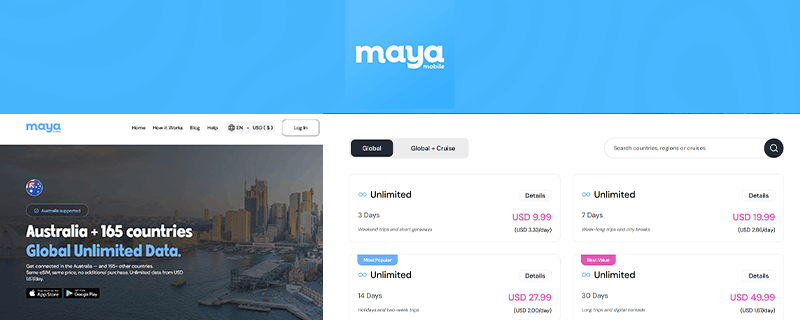
- Maya Mobile: Best for unlimited data across multiple countries
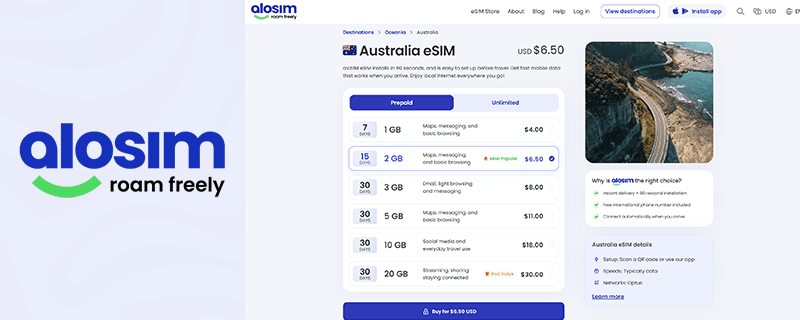
- aloSIM: Best for travelers who want a phone number included
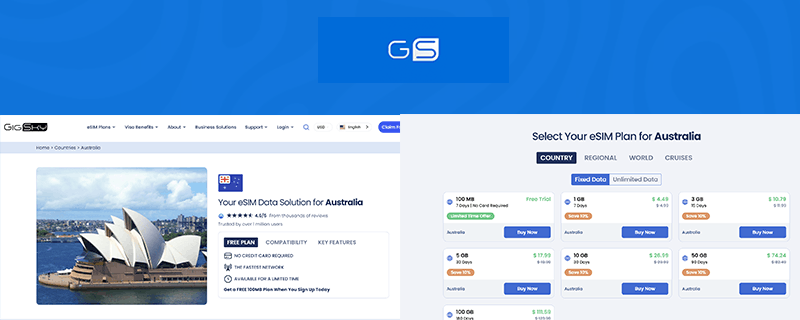
- GigSky: Best for cruise travelers and a free trial before committing
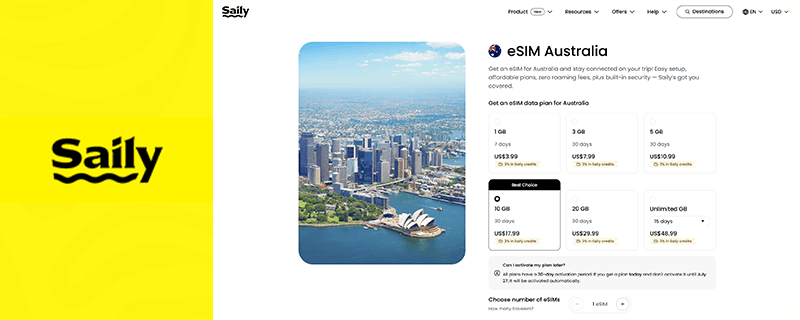
- Saily: Best for built-in security on shared networks
| Provider | 1GB | 5GB | 10GB | Network | Stands Out For |
|---|---|---|---|---|---|
| Soovia | $4.00 | $7.90 | $12.70 | Telstra / Optus | Multi-network coverage at an honest price |
| Maya Mobile | Unlimited | Unlimited | Unlimited | Optus | One global eSIM for 165+ countries |
| aloSIM | $4.00 | $11.00 | $18.00 | Optus | Free Hushed phone number included |
| GigSky | $4.99 | $19.99 | $29.99 | Multi-network | Cruise ship coverage and free 100MB trial |
| Saily | $3.99 | $10.99 | $17.99 | Optus | Built-in ad blocking and web protection |
Prices verified June 2026. Always confirm on the provider's site before purchasing as plans and pricing can change.
Before You Buy: The Network Question That Matters Most in Australia
Australia is enormous. The distance between Sydney and Perth is roughly the same as flying from London to Istanbul. That scale means network coverage becomes a real deciding factor, not just a technical footnote.
Australia has three main carriers: Telstra, Optus, and Vodafone AU. In Sydney, Melbourne, Brisbane, and Perth, all three perform well. The moment you leave the main cities, the picture changes fast.
Telstra runs the largest rural mobile network in the country, covering around 2.7 million square kilometers. Optus is strong in cities and along the coast. Vodafone covers urban areas well but does not extend far beyond them. For road trips, national parks, or anything beyond the main coastal corridor, a Telstra-connected eSIM is the safer choice. Soovia is the only provider in this list that connects to both.
New to eSIMs entirely? If you want to understand how they work before buying anything, this explains it in plain terms.
The 5 Best eSIM Providers for Australia in 2026
1. Soovia: Multi-Network Coverage at an Honest Price

2. Maya Mobile: Best for Unlimited Data Across Multiple Countries
3. aloSIM: Best for Travelers Who Want a Phone Number Included
4. GigSky: Best for Cruise Travelers and a Free Trial Before Committing
5. Saily: Best for Built-In Security on Shared Networks
Telstra or Optus: Which Network Should You Care About?
Most travel eSIM providers connect via Optus. It is a reliable network for city travel and coastal areas, and for the majority of trips it is perfectly fine.
The case for Telstra comes down to distance from cities. Telstra covers around 2.7 million square kilometers of Australia, giving it the widest rural reach of any carrier. If you are driving the Great Ocean Road, heading toward Uluru, exploring the Kimberley, or camping far from major towns, Telstra is the network you want to be on. Soovia is the only provider in this list that connects to both, which makes it the most versatile choice for itineraries that mix cities and open road.
How Much Data Do You Actually Need for an Australia Trip?
This is where most eSIM guides get it wrong. The answer depends heavily on how you actually use your phone, and in Australia specifically, the distances involved push consumption higher than people expect.
Navigation alone can eat through 300 to 500MB per day if you are driving with Google Maps running continuously at 4G speeds. Add in social media browsing and you are already past 500MB before you have watched a single video. A few Reels or TikToks on the road and a GB disappears faster than most people expect.
Here is a more realistic breakdown by usage type:
- Light user (maps, messaging, a bit of social media): around 1GB to 1.5GB per day. A weekend trip needs 3GB minimum, a week needs at least 7GB to be comfortable.
- Moderate user (regular social media, some video, navigation): 2GB to 3GB per day is realistic. A week-long trip with this usage pattern needs 10GB or more.
- Heavy user (streaming, uploading content, video calls, hotspot): 3GB to 5GB per day or more. For any trip over four or five days, unlimited is worth considering seriously.
- Working remotely from Australia: Video calls alone can use 1GB to 2GB per hour at HD quality. Budget at least 5GB per working day and go unlimited if you have back-to-back meetings.
- Working holiday or stay over a month: A local Optus or Telstra prepaid SIM will be far more cost-effective than any travel eSIM at this duration.
The single most effective way to reduce data consumption on a road trip is to download offline maps before you leave the city. Google Maps and Maps.me both support this. It cuts navigation consumption significantly on long drives between towns. If you are heading somewhere remote, this is not optional.
Still trying to decide between a fixed-data plan and unlimited? This breakdown covers when each one actually makes more sense for different types of trips.
Where Does Signal Get Unreliable in Australia?
Once you leave the coastal strip and major highways, mobile signal becomes genuinely patchy regardless of which eSIM provider you are with. This is not an eSIM problem. It is an Australia geography problem.
- The Outback and Red Centre: Uluru and surrounding areas have limited coverage. Telstra reaches further than Optus here, but even Telstra has gaps deep in the interior. Alice Springs has coverage; the roads between do not always.
- Western Australia inland: The highway between Perth and Darwin is one of the most remote routes in the world. Signal drops for long stretches. Download everything you need before you leave the city.
- National park interiors: Blue Mountains, Kakadu, Daintree: coverage exists at main visitor areas but drops quickly on remote trails and camping grounds.
- Between regional towns: Most rural highways have signal gaps between population centers regardless of carrier. Plan for offline navigation on any long drive.
Should I Get an eSIM or a Local SIM in Australia?
Most people ask this question at the wrong time. They are standing in a queue at Sydney Airport after a 20-hour flight, watching the SIM counter ask for their passport. A travel eSIM means you never reach that queue. It is already on your phone, already configured, and the moment the plane touches down it finds a local network and connects on its own.
Local SIMs are not useless though. If you are on a Working Holiday Visa, staying over a month, or need a real Australian number for a lease, a bank account, or a job, then Telstra, Optus, or something like Woolworths Mobile will give you far more data per dollar. That is the one scenario where a physical SIM genuinely makes sense.
For everyone else, your home SIM keeps working the whole time. Calls come through, banking codes arrive, WhatsApp notifications land on your regular number running quietly alongside the eSIM. A physical SIM swap takes all of that away. If you want to run the numbers on both options properly, this goes through the real cost difference.
Getting Your eSIM Ready Before You Fly
Do it at home the night before, not at the airport. Setup takes about three minutes on a decent connection. The airport version of this takes longer, usually goes wrong at least once, and never happens at a moment when you have time to fix it calmly.
- Step 1: Buy your plan and you will get a QR code by email or inside the provider's app
- Step 2: Open Settings on your phone, look for Cellular or Mobile Data, then tap Add eSIM
- Step 3: Scan the QR code and the eSIM profile downloads in seconds
- Step 4: Set it as your active data line and leave your regular SIM in place for calls
- Step 5: Enable data roaming after you land and that is what wakes the eSIM up
iPhones and Android phones handle this slightly differently. If you want the exact steps for your device:
eSIM installed but no signal after landing? Nine times out of ten it is a data roaming setting that did not switch on. The other common causes are covered here: why your eSIM might not be working.
Before you buy anything: iPhones from XR onwards, Samsung S20 and newer, and Pixel 3 and above all support eSIM. Some older or budget Android phones do not. Worth confirming your device first: check the full compatibility list here.
So Which Provider Should You Actually Go With?
For most Australia trips, Soovia is the one to pick. Not because it is the flashiest option, but because it is the only provider here with access to both Telstra and Optus. That dual-network access is a genuine differentiator in a country where the coverage gap between networks is felt the moment you drive an hour outside a major city. At $7.90 for 5GB and $12.70 for 10GB, the pricing is also the hardest to argue against.
If Australia is one stop on a longer trip through the region, Maya Mobile's global plan is worth serious consideration. One eSIM, 165+ countries, no reinstalling anything between destinations. Need an actual phone number people can ring? aloSIM is the only one here that provides that. Combining land travel with a cruise? GigSky works at sea and lets you test the network for free before spending a cent. And if you are spending nights in hostels or connecting to shared Wi-Fi in cafés and Airbnbs, Saily runs ad blocking and web protection automatically, no separate app, no extra subscription.
Quick Answers to Common Australia eSIM Questions
Is roaming really that expensive in Australia?
Yes, genuinely. Most carriers bill $10 to $15 per day for international roaming, which means a two-week trip can rack up $140 to $210 in data charges before you have left the airport. Soovia's 10GB plan covers the same usage for $12.70 total.
Will my eSIM work outside the cities?
In Sydney, Melbourne, Brisbane, and along the coast, yes. All five providers perform well there. Head inland and Optus coverage becomes patchy fast. If your itinerary includes the outback, national parks, or anything more than an hour from the coast, you want a Telstra-connected plan. Soovia is the only provider in this list that offers one.
Can I use Netflix, TikTok, WhatsApp calls, and FaceTime normally?
Yes. Australia does not restrict any apps or services. Everything that works at home works here, including video calls, streaming, and VoIP. The only thing that slows you down is running out of data.
When should I actually install the eSIM?
The evening before your flight. Your eSIM will not activate or use data until it detects an Australian network, so there is zero risk in installing early. What you want to avoid is doing this step at the departure gate on airport Wi-Fi with a boarding announcement happening in the background.
I am visiting Australia and New Zealand back to back. Do I need two eSIMs?
With a country-specific plan, yes, one per country. The exception is Maya Mobile, whose global plan covers both on the same eSIM with no reinstall required. If you are doing both countries on the same trip, Maya is the most practical choice by a distance.
Is picking up a SIM at Sydney Airport worth it?
Almost never. Airport SIMs cost more, require passport registration, and pull your regular SIM out of service for the duration of your trip. The only time it makes sense is if your phone does not support eSIM and you have no other option. Otherwise, sort it before you leave home.